
Your First Scan, Step by Step.
Secure Assess is hosted — sign up in the app and get set up there. Nothing to install.
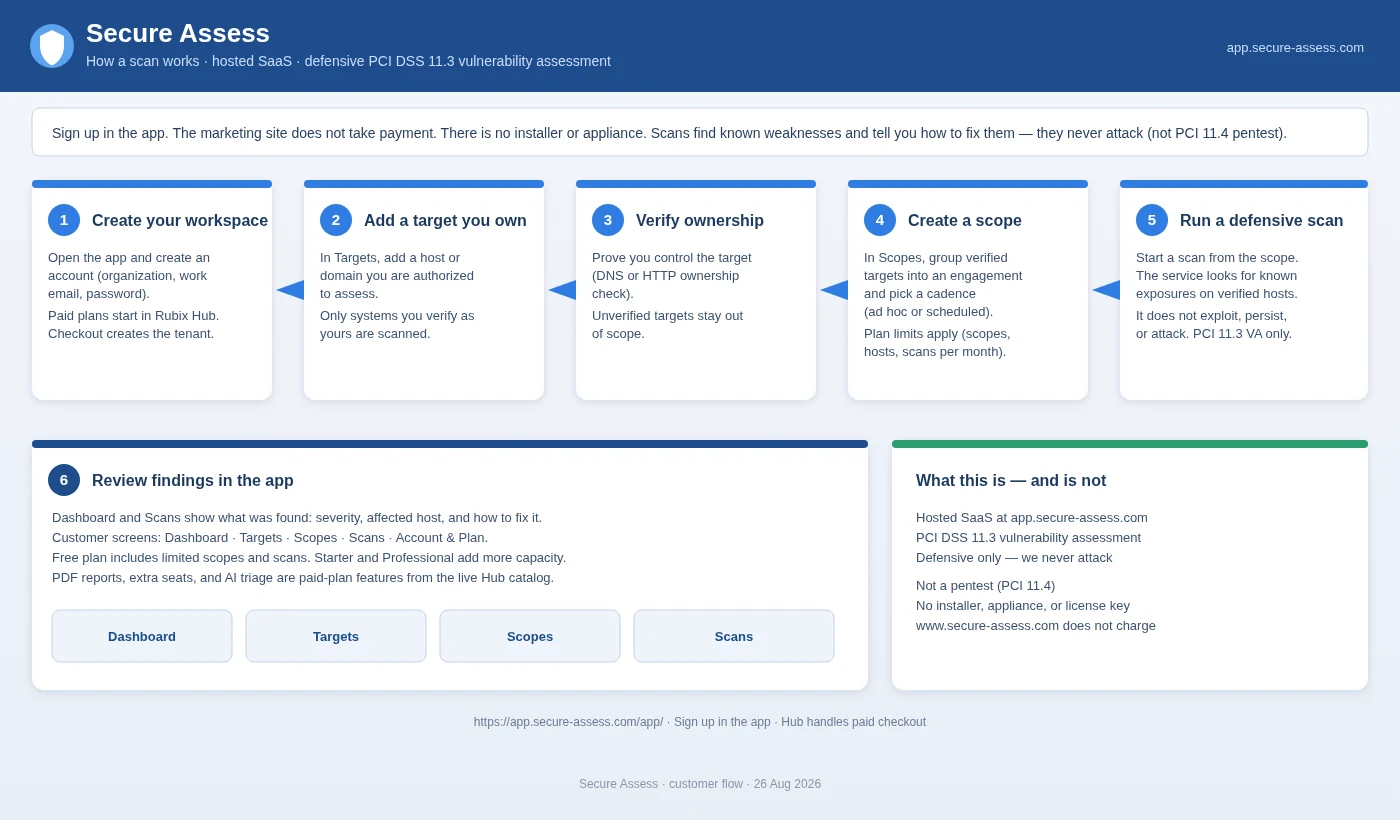
Create your account
Open the app and create an account with your organization name, work email and a password. Free plan — no card required.
Add a target you own
In Targets, add a domain, host or IP range you're authorized to assess.
Verify ownership
Add a DNS TXT record or verification file (domains), or confirm authorization in the app (IP addresses). Unverified targets stay out of scope.
Create a scope
Group verified targets and pick ad hoc or a schedule your plan allows.
Run a defensive scan
Start the scan from the scope. It looks for known exposures and never attacks or disrupts anything.
Review findings
See severity, affected hosts and advice on the Dashboard and Scans pages.
Before you start
Only scan what you own
Ownership is checked before any scan.
Nothing to install
Hosted SaaS — no installer or appliance.
Payment happens in the app
This website doesn't take payment.
Ready when you are.
Create your free account now.